For clients and parents
Your reports live on a page your tutor or coach made for you.
If someone who works with you uses Slide Practice, you receive a report by email after each session. This page explains what that is, how to find it, and what happens to your information.
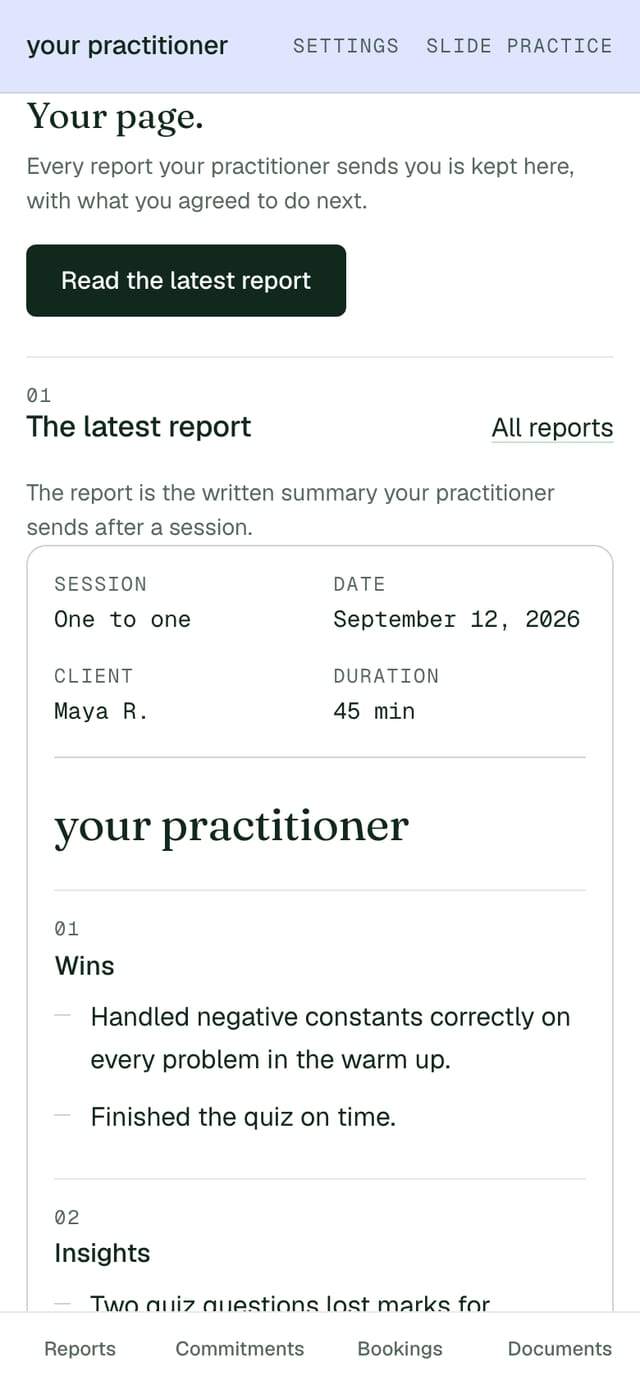
The report is the written summary of your session: what was covered, what went well, and what you agreed to do before the next one. Your tutor, coach, trainer or consultant reads it, changes anything they want to, and sends it under their own name. Slide Practice writes the first draft for them.
01Finding your page
Open the link in the most recent email from your tutor or coach.
Every report you have been sent carries the same link, so the newest email is always the quickest way back. The link does not expire and you do not need a password to use it.
If you cannot find the email, put in the address your tutor or coach writes to you at and we will send the link again.
We only send the link to an address that already has a page. If nothing arrives, ask the person who works with you to send it again, or write to support@slidepractice.com.
02Saving it as an account
You can save the page to your email address, and there is no password to remember.
This is optional. The link works on its own, and saving the page only means you can open it again on a new phone without hunting for the email.
- On your page, choose to save it.
- We email you a six digit code.
- Type the code in. That is the whole of it.
There is no password to set and none to forget. The next time you sign in, you get a new code.
03What is on your page
Everything you have been sent is in one place, newest at the top.
-
Every report
Each one stays there. The newest is at the top, and last term is still underneath it.
-
What you agreed to do
Each thing you said you would do before the next session, with a date and a box to tick when it is done.
-
Documents
Anything your tutor or coach attached: a worksheet, a plan, a reading list.
-
The link to book again
If they take bookings through Slide, the next session can be booked from the same page.
The person who works with you sets this up once and does nothing to it again; the page they set up is described in full if you are curious what they see at their end.
04What we store and who can see it
Your tutor or coach can see your page, and nobody else can.
We store the reports you have been sent, the things you agreed to do, any documents attached to them, and your email address so we know where to send the link. That is all of it.
Two people can see your page: you, and the tutor, coach, trainer or consultant who works with you. Nobody at Slide Practice reads your reports as a matter of course, we do not sell anything about you to anyone, and none of it is used to advertise to you. If you would like to know how it is kept, how we hold it is written out in plain terms.
If you want everything about you deleted, write to support@slidepractice.com from the address your reports arrive at and we will do it. You can also ask the person who works with you and they can do it from their side.
05Looking for a tutor or coach
If nobody is working with you yet, you can find someone from here.
Some of the tutors, coaches, trainers and consultants who use Slide Practice publish a profile you can read and book from. You can find a tutor or coach, see what they charge, and book a session directly with them. You pay them, not us, and we take no share of it.