Start your 7-day Pro trialSee a sample recap
What each one is for
These two tools solve different problems, and it is worth saying so before any feature list. Fathom is an AI meeting assistant. Its bot joins your live Zoom, Google Meet, or Teams call, records and transcribes it, writes a summary with action items, and can push those notes into your CRM. It is built for sales teams and general business calls, it has a genuinely strong free tier, and it is tightly wired into the live video platforms. That live capture and that free tier are real strengths, and they are the main reasons people choose it.
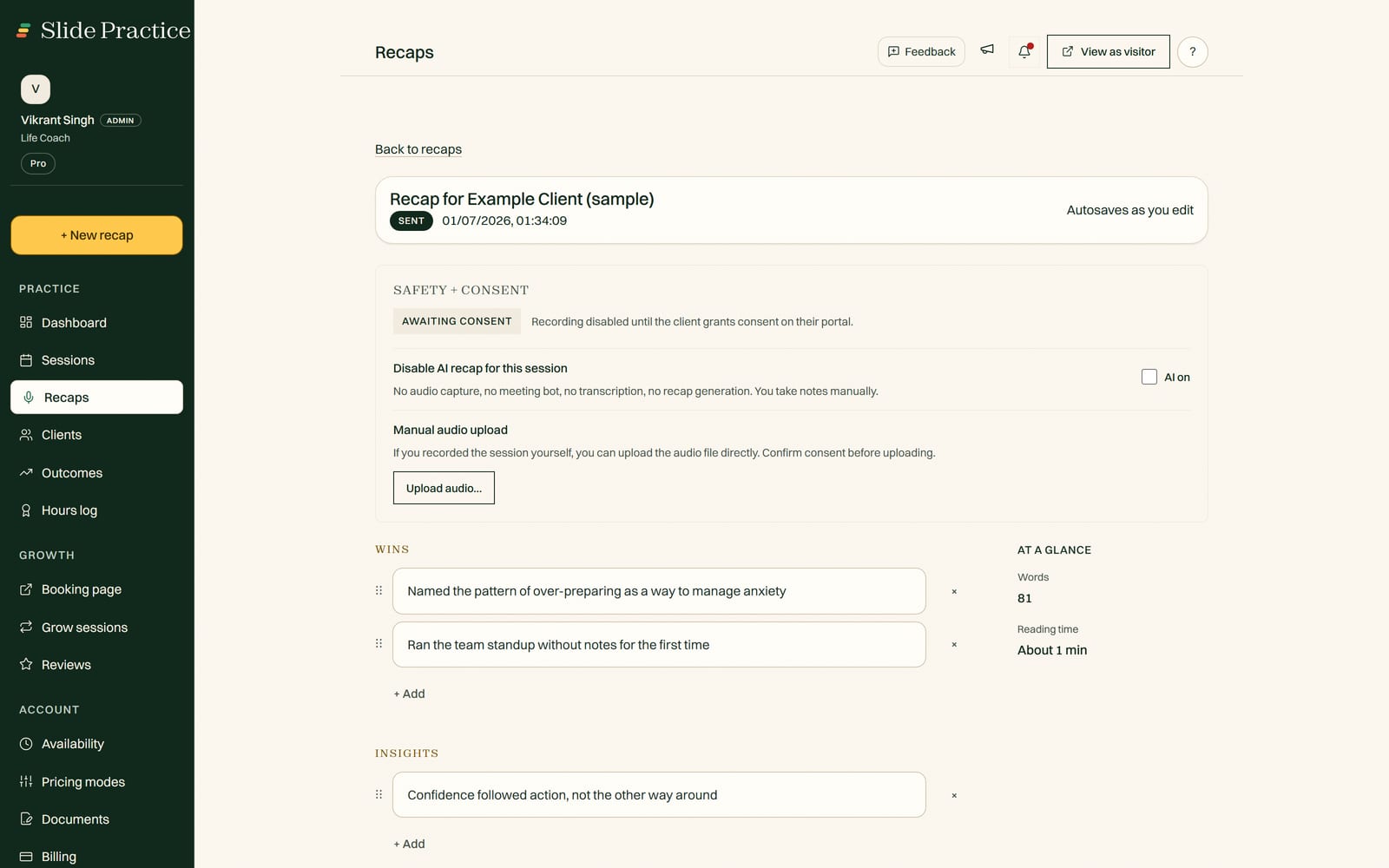
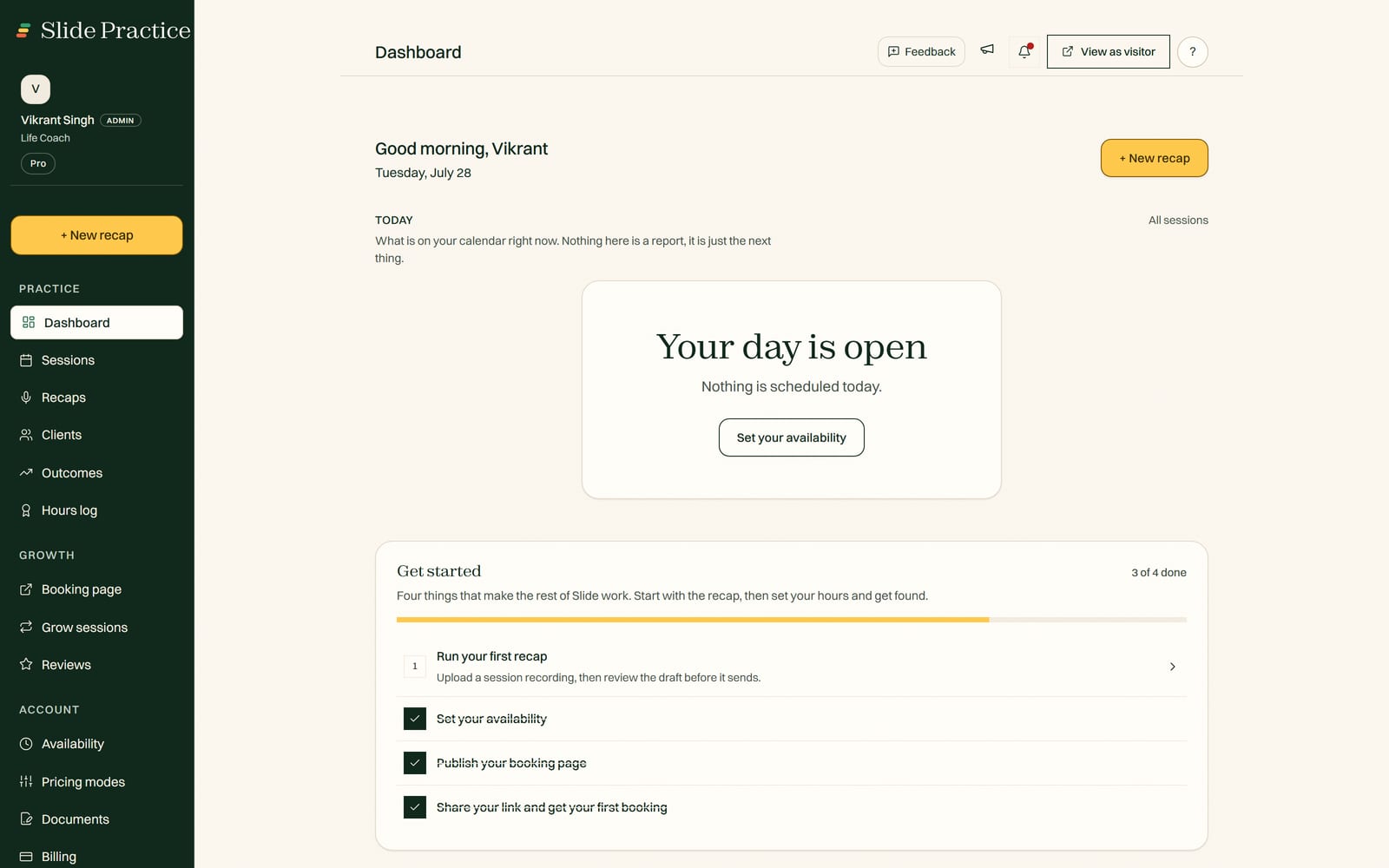
Slide Practice is built for something narrower: the recurring one to one practitioner relationship. You record or upload a session, and in about a minute Slide Practice drafts the recap, the action items, and a follow up email in your practice's language. You read it over, edit if you want, and it is delivered to your client through a private portal, with recording kept opt in. From there it tracks the action items and goals across sessions so you can see what your work is changing, and recorded sessions build an ICF coaching hours log. Around that core it adds booking on one shared link and sliding scale rates. It is live, built by a small team, and it takes no commission, ever.
Where Fathom is genuinely stronger
If you are comparing honestly, Fathom leads in a few places that matter, and skipping them would be unfair.
- Live video integration. Fathom's assistant joins Zoom, Google Meet, and Teams calls automatically and captures them with nothing to set up per call. Slide Practice records or uploads a session instead, so if seamless live capture is what you want most, Fathom does it better.
- A genuinely strong free tier. Fathom is free to start and generous about it, which is hard to beat if budget is your first concern. Slide Practice offers a 7-day Pro trial and then flat paid plans.
- General meetings and sales calls. Fathom is built for one off business and sales conversations, with CRM sync into tools like Salesforce and HubSpot. If most of your calls are not one to one sessions, Fathom fits that world better than Slide Practice does.
So if your week is full of general meetings and sales calls, or you need automatic live capture and CRM sync on a free plan, Fathom is the stronger pick today. We would rather tell you that than pretend otherwise.
Where Slide Practice is different
Slide Practice does not try to be a better meeting notetaker. It is built for the practitioner relationship, not the one off call.
- A recap built for your practice, delivered to your client. The session ends, and a minute later you have a clean recap, action items, and a follow up written in your practice's language, delivered to your client through a private portal. A general meeting summary is not the same as a recap your client actually receives.
- A consent step built for clients. Recording is opt in and your clients are told. Fathom records for the meeting host; Slide Practice is built so the person on the other side of the session is part of the arrangement.
- The record across sessions. Each recap feeds a running view of the commitments and goals you set with a client, so you can see whether they are moving session to session. Fathom captures a single meeting; it does not keep a relationship.
- A coaching hours log. Your recorded sessions build an ICF coaching hours log as you go, which matters if you are working toward or renewing a credential. More on this on the page for ICF coaches.
- Booking and sliding scale rates. Booking on one shared link, and full, reduced, and pay it forward prices so clients can pick what they can afford.
- You keep 100% of what you earn, on every plan. Slide takes no commission, ever, and you keep collecting payments your own way.
One line worth drawing: a general AI meeting assistant like Fathom is excellent at capturing a call, but it is not built for your practice. It has no client portal to deliver the recap, no consent step built for clients, no cross session record of progress, and no coaching hours log. Fathom captures the meeting; Slide Practice keeps the client relationship. If the call is the thing you need, Fathom is great. If the relationship is the thing you need, Slide Practice is built for it.
Side by side
A fair table names strengths on both sides. This one does.
| | Slide Practice | Fathom |
|---|
| Auto joining live video calls (Zoom, Meet, Teams) | Record or upload a session | Bot joins the call live |
| Free tier | 7-day Pro trial, then paid | Genuinely strong free tier |
| General business and sales meetings | Built for 1:1 practice | Built for exactly these |
| CRM sync (Salesforce, HubSpot) | Not built in, uses a client portal | Built in |
| Recap built for your practice and action items | Written in your practice's language | General meeting summary |
| Delivery to a private client portal | Built in | Summary stays in the meeting tool |
| Consent step built for clients | Opt in, clients told | Records for the meeting host |
| Progress and goals tracked across sessions | Built in | Per meeting only |
| ICF coaching hours log | Built in | None |
Note that Slide Practice is not a payment processor, a marketplace, or a live video platform. It does not run your calls and it does not collect money for you. You keep taking payments your own way, through PayPal or whatever you already use. Fathom, for its part, is not a client management tool; it captures the meeting and hands the notes off to you or your CRM.
Where Slide Practice is in its life right now
Slide Practice is live. Founding access is open now. The founding group is capped at 30 practitioners, who get Pro at $19 a month for their first 12 months, then $29.99. It is built and run by a small team based in Manila, who come from a business and software background, not from a 1:1 practice. That shapes the honest pitch: it is early, it is focused, and it is not trying to be a general meeting assistant like Fathom.
What Slide Practice costs
Slide Practice is a flat monthly price. Every new practitioner starts with a 7-day Pro trial, no card. After that, plans are Starter at $14.99 a month, Pro at $29.99 a month (the best value tier), and Max at $49.99 a month. Recording a session with Auto Join is $1.99 per session, and extra recaps beyond your plan are $0.99 each. There is no Team plan, and Slide takes no commission, on any plan, ever. Fathom, by contrast, has a genuinely strong free tier and paid plans above it. We avoid quoting Fathom's exact prices here because they change and we would rather not get them wrong. If a free tool that captures your calls is all you need, that is a real point in Fathom's favor.
Who should pick which
Choose Fathom if most of your calls are general meetings or sales conversations, you want your assistant to join Zoom, Google Meet, or Teams automatically, you value CRM sync, and a strong free tier matters to you. For that job it is excellent and more mature. It simply does more in that area.
Look at Slide Practice if your week is mostly one to one sessions and you want the client relationship kept, not just the call captured. If you want a recap built for your practice delivered to a client portal, a consent step built for clients, the commitments and goals tracked across sessions so you can show what your work is changing, an ICF hours log building in the background, and no commission taken, it is built for exactly that. It is the newcomer, so going in with clear eyes about its stage is the honest move.
Frequently asked questions
Is Slide Practice a replacement for Fathom?
It depends on the calls you run. Fathom is an AI meeting assistant that shines on one off sales and business calls: its bot joins your Zoom, Google Meet, or Teams call live, summarizes it, and can push notes into your CRM. If that is your day, Fathom is the stronger, more mature fit. Slide Practice is built for the recurring one to one practitioner relationship instead, so it writes a recap built for your practice, delivers it to a client portal, and keeps a record across sessions. Many practitioners run both, or move to Slide Practice once the relationship, not the meeting, is the thing they want to track.
Does Fathom join my video calls automatically, and does Slide Practice?
Fathom does, and that is one of its real strengths. Its assistant joins your live Zoom, Google Meet, or Teams call and captures it without you doing anything. Slide Practice works differently: you record or upload a session, with Auto Join to capture recorded calls, and it centers the practice record rather than deep live video integration. If tight, automatic live capture is what you need most, Fathom leads there.
Which is better for practitioners specifically?
For the practitioner relationship itself, Slide Practice is built for it. The recap is written in your practice's language with action items your client actually sees, it is delivered through a private client portal with a consent step, the commitments and goals are tracked across sessions, and recorded sessions build an ICF coaching hours log. Fathom is excellent at capturing a single call, but it is a general meeting tool, so it has no client portal, no consent flow built for clients, and no cross session progress record. If you want the client relationship kept, not just the call transcribed, Slide Practice is the closer fit.
Can Slide Practice deliver the recap to my client?
Yes. In Slide Practice the recap and action items are delivered to your client through a private portal, with recording kept opt in and clients told first. Fathom keeps the summary for the meeting host and can route it into your CRM or notes, which suits sales follow up more than handing a client their own recap. That client facing delivery is a core difference between the two.
Is either one free, and do they take a cut of what I earn?
Fathom has a genuinely strong free tier, which is one of the best reasons to use it. Slide Practice starts with a 7-day Pro trial with no card, then flat monthly plans. Neither one takes a percentage of your earnings, since neither is a payment processor. Slide takes no commission, ever, and you keep collecting payments your own way.