Still typing up session notes at 9pm?
Slide Practice turns each session into a drafted recap, action items, and a follow up email in about a minute. You review it, fix what needs fixing, and send. Your client gets it in their private portal, and your evening stays yours.
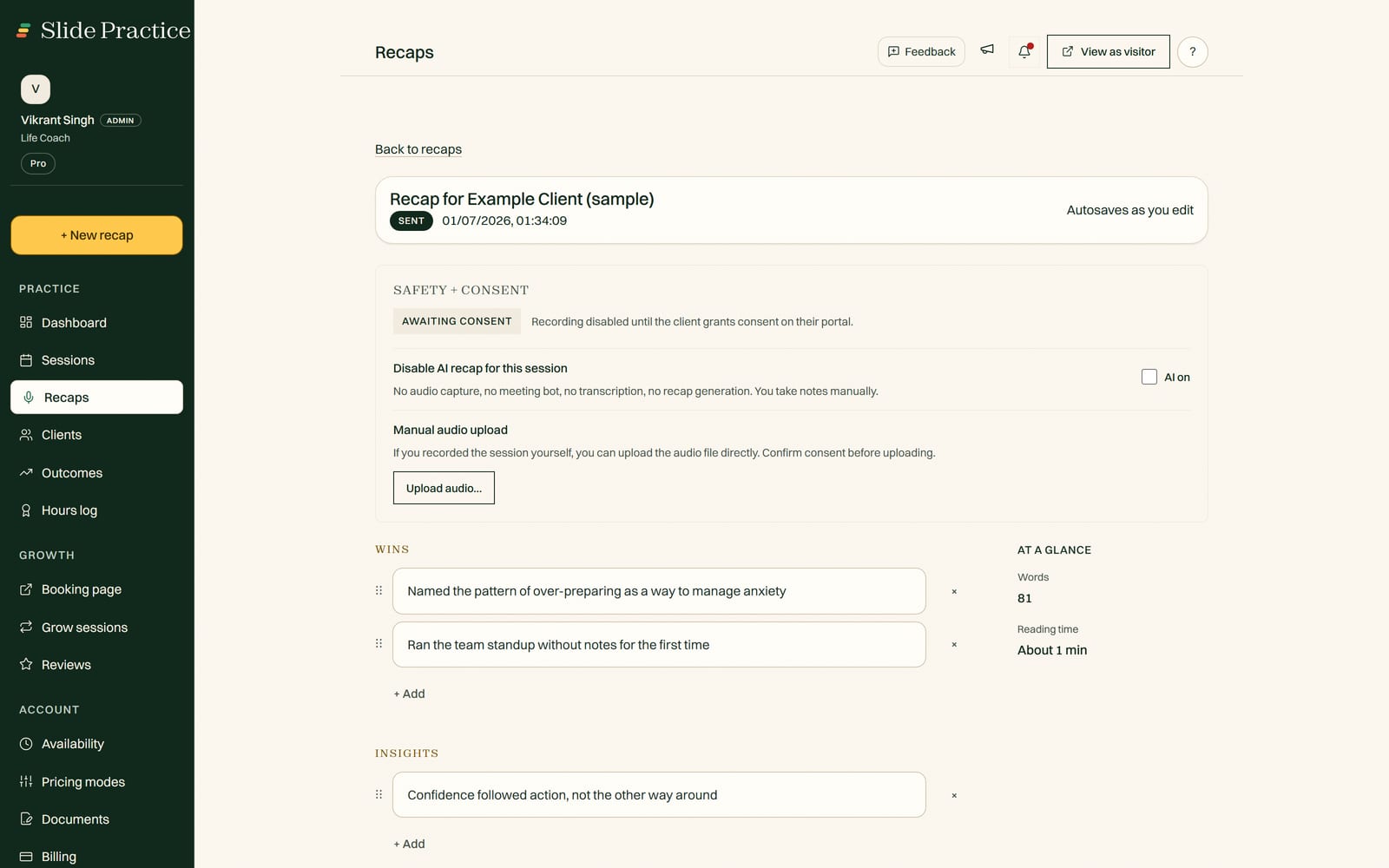
How it works
Add the session
Upload a recording after the call, or send the Slide recorder into the call by pasting the meeting link. Auto Join works with Zoom and Google Meet, it stays off until you send it to a call, and either route gives you the same recap. Slide noticing a meeting on your calendar and sending the recorder by itself is not built: see the roadmap.
Review the draft
In about a minute you get a drafted recap, action items, and a follow up email. Nothing goes to your client until you approve it.
Send it on
Send the recap and it lands in your client's private portal, next to their action items and session history.
Monthly recap allowances: Starter includes 20, Pro includes 200, and Max includes 500. Extra recaps are $0.99 each, and you can export your recaps anytime.
What it doesn't do yet
Slide Practice drafts the recap, but it never sends anything on its own. You review every recap before your client sees it. Recording works the same way: Auto Join is off by default and consent first, so nothing records unless you choose it. And there are no outside connections like Zapier yet, those are on the roadmap.
Questions coaches ask
How many recaps do I get each month?
Starter includes 20 recaps a month. Pro includes 200 and Max includes 500, which a full-time practice does not reach. Extra recaps are $0.99 each.
Do I have to record my sessions?
No. You can upload a recording after the call instead. Auto Join, the option that records the call for you, is off by default and consent first: it joins only the call you send it to, by pasting the meeting link. Slide noticing a meeting on your calendar and sending the recorder by itself is not built yet.
Uploading a recording after the session works today, on every plan. See the roadmap.
Can I edit a recap before my client sees it?
Yes, always. Slide Practice drafts the recap, the action items, and the follow up email, then waits for you. Your client only sees what you approve and send, and you can export your recaps anytime.
Get your evenings back
Slide Practice is open to founding practitioners now. The founding group is capped at 30, and everyone in it gets Pro at $19 a month for the first 12 months, then $29.99.
Start your 7-day Pro trialStart with a 7-day Pro trial. No credit card. Founding access is open now.