Why practitioners look at Slide Practice instead of Paperbell
Paperbell handles scheduling, client packages, contracts, and payment collection well, and it does not take a percentage of your earnings. Slide takes no commission, ever. What Paperbell does not do is write your session recaps for you, offer built in sliding scale or pay it forward rates, or start below its single $57 a-month plan. Slide Practice starts with a 7-day Pro trial, no card, then $14.99 a month once you grow, and drafts the summary, action items, and follow up after each session, while clients pick from rates you set.
Slide Practice compared with Paperbell
| | Slide Practice | Paperbell |
|---|
| AI session recaps | Built in, summary and action items | Not offered |
| Starting price | 7-day Pro trial, no card, then $14.99 a month | $57 a month, one plan |
| Sliding scale and pay it forward rates | Built in | Not built in |
| Commission on what you earn | No commission, ever | No commission |
| Auto Join call recording | included on Pro and Max, then $1.99 a session | Not offered |
| Your data and clients | Yours, export anytime | Exportable |
What you get with Slide Practice
AI session recaps
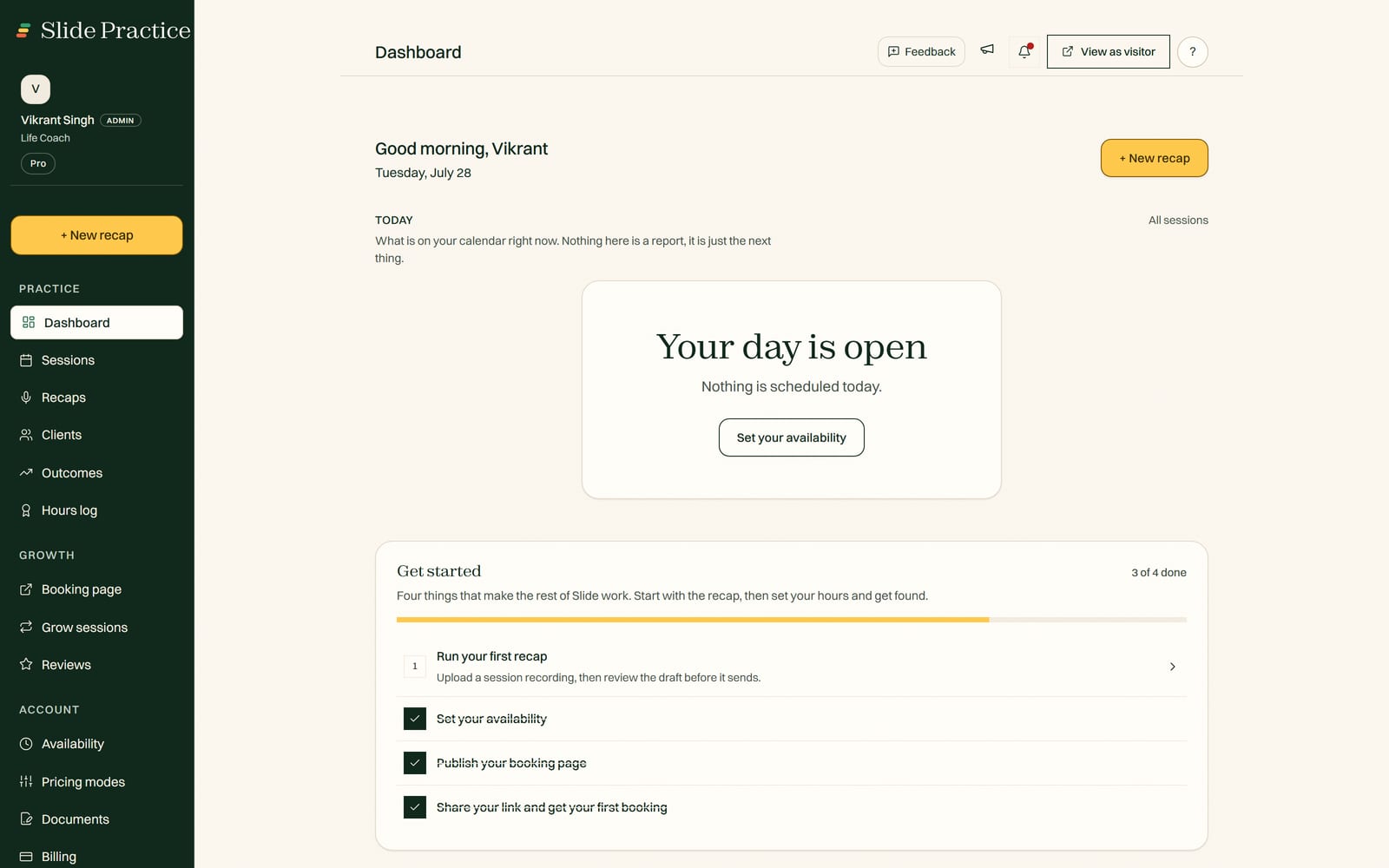
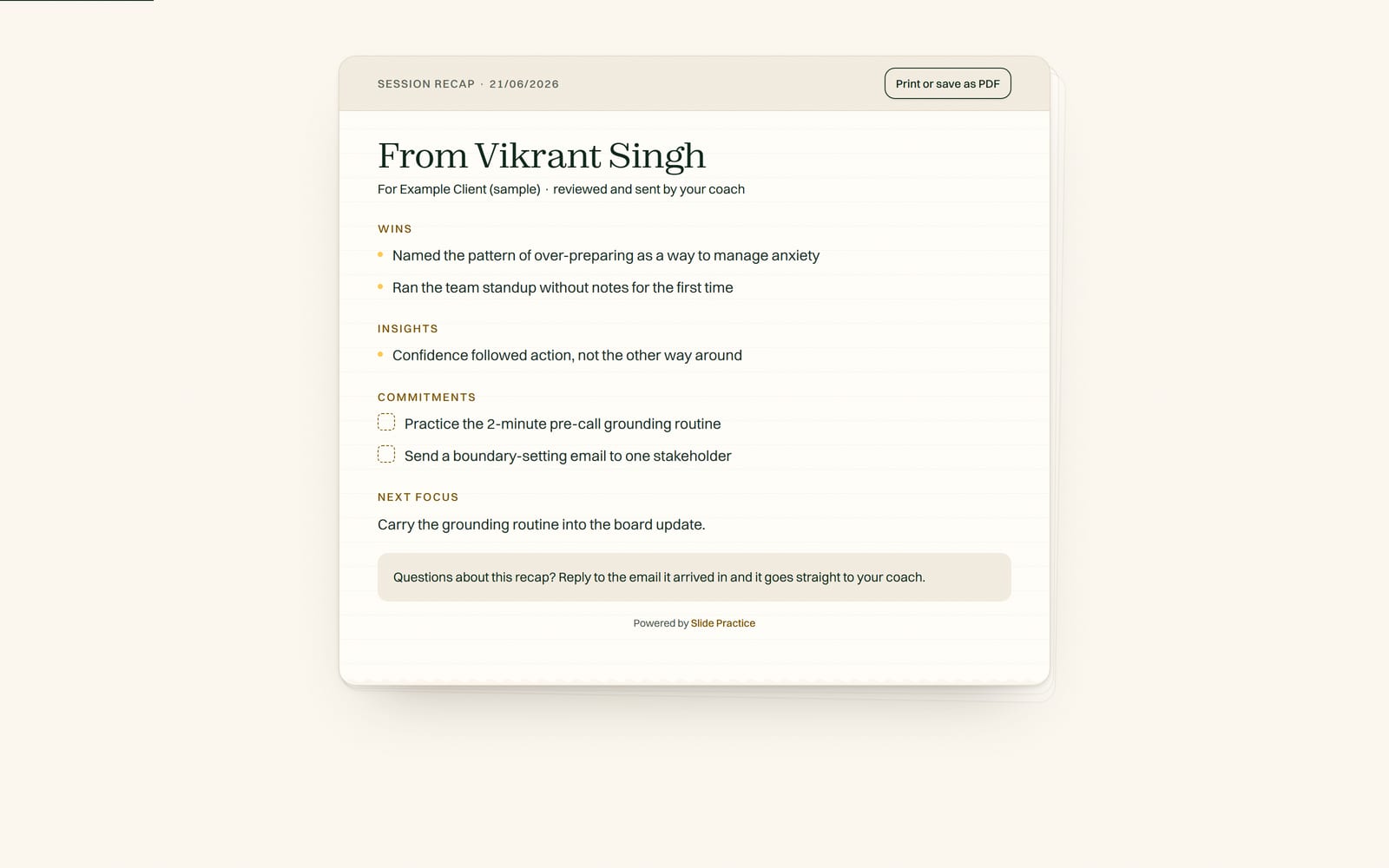
Record a session and Slide Practice writes the summary, action items, and a ready follow up automatically.
Smart booking
One link. Clients book and reschedule around your real availability.
Sliding scale pricing
Offer full, reduced, and pay it forward rates so clients pick what they can afford.
Private client portal
Each client gets a space for recaps, notes, documents, and next steps.
What comes over, and what you set up fresh
Comes over
- Clients: name, email, phone, notes
- Past bookings as records
- Programs and enrollments where you have them
- Payment history as records
Set up fresh
- Your booking availability (set your weekly hours in Slide Practice)
- How you collect from clients (your own way)
- AI recap settings (configure once)
How to switch
- In Paperbell, open your account settings and export your client list and contact details, plus any package, contract, or payment records you want to keep. Send us the export and we import your clients, contacts, and notes for you.
- Start your free listing, then email your export to support@slidepractice.com and we import it for you.
- Review everything in your new Slide Practice dashboard.
- Send clients a one line note that you have moved. We give you a template.
Switching is not all or nothing
You can run Paperbell and Slide Practice side by side while you move. Keep taking sessions, bring clients over in batches, and close your Paperbell account when you are ready. There is no lock in on the Slide Practice side, so you can export everything at any time.
Guided migration for founding practitioners
The first 30 founding practitioners get hands on, guided migration support, plus Pro at $19 a month for their first 12 months, then the standard $29.99. Send us your Paperbell export and we do the import for you.
Frequently asked questions
Does Paperbell take a cut of what I earn?
No. Paperbell does not take a percentage of your earnings, and Slide takes no commission, ever. You pay your plan, plus the usual card processing fees on whatever method you use, and keep the rest.
Can I bring my Paperbell clients and history to Slide Practice?
Yes. Slide Practice brings over your clients (name, email, phone, notes) and your past bookings as records. Paperbell handles contracts and packaged checkout in detail. In Slide Practice you collect from clients your own way: Slide takes no commission, ever, and never handles your clients' payment details. So if you lean on Paperbell's packaged checkout, keep that in place or pick your own payment method as you move.
How do I export my data from Paperbell?
In Paperbell, open your account settings and export your client list and contact details, plus any package, contract, or payment records you want to keep. Send us the export and we import your clients, contacts, and notes for you.
How much is Slide Practice compared with Paperbell?
Slide Practice starts with a 7-day Pro trial, no card, then $14.99 a month for Starter (20 AI recaps), $29.99 for Pro (200 AI recaps a month), $49.99 for Max (500 AI recaps a month), and Slide takes no commission, ever. Paperbell is $57 a month, or $47.50 billed annually, on a single flat plan. The meeting recorder, where you paste a meeting link and Slide joins that call and records it for you, works today as well. Upload recording works today on every plan; the first 30 founding practitioners get Pro at $19 a month for their first 12 months, then the standard $29.99.